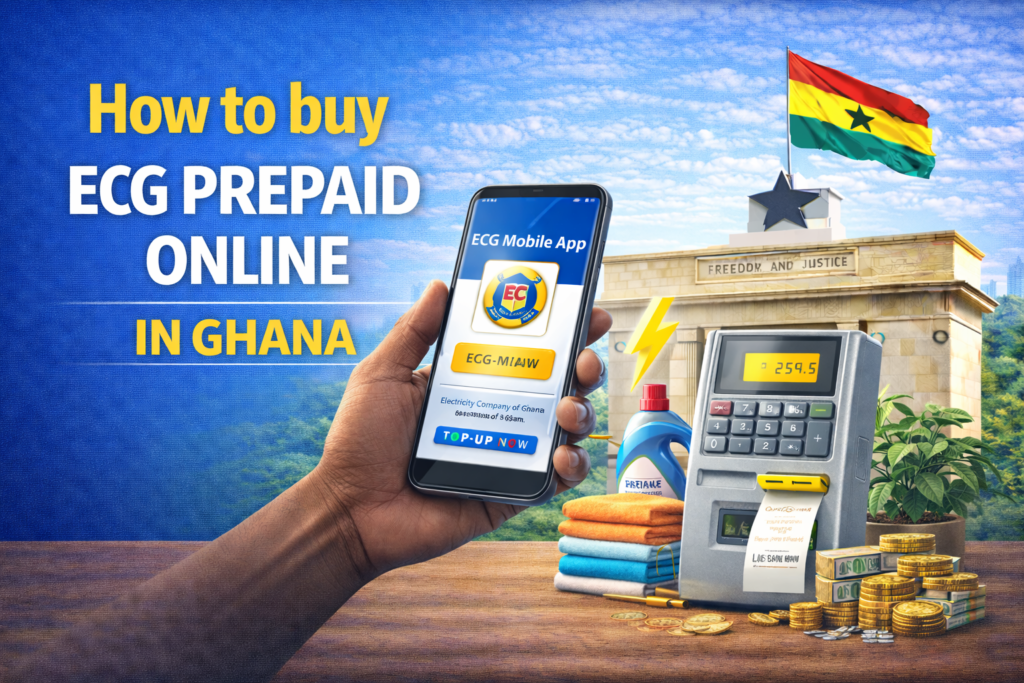

Electricity distribution in Ghana has improved in recent years as the Electricity Company of Ghana introduced prepaid metering. This system lets customers buy credit in advance instead of waiting for monthly bills. It provides clearer control over household budgets, reduces billing disputes, and prevents sudden disconnections due to unpaid balances. With the recent upgrades to smart metering, the quickest way to keep your home powered is to buy ECG prepaid online in Ghana through official apps like the PowerApp or your favorite mobile money wallet.
The ECG PowerApp remains the most direct digital option for buying prepaid credit, especially for smart meters. There are also other channels such as USSD for basic phones, third party payment platforms, and mobile banking apps. Learning about these options helps customers choose methods that suit their phones, habits, and daily routines. The ability to buy credit online becomes particularly helpful when lights go off at night, during emergencies, or when movement is difficult.
Meter type influences which purchase method works best. Smart prepaid meters load credit automatically after online payments with no need to enter tokens. Older prepaid meters require punching in a numeric token after each purchase. Some very old meters still rely on physical cards or dials, though ECG is replacing these with modern units. Understanding which meter a household uses helps avoid confusion.
Using the ECG PowerApp
The ECG PowerApp is the official method for mobile users wanting to buy electricity directly from ECG. This smartphone application provides the most integrated experience, connecting directly to ECG systems for instant credit delivery. Download the app from the Google Play Store for Android devices or the Apple App Store for iPhones. The app installation takes minutes on decent internet connections and occupies minimal phone storage.
Registration starts when you open the app for the first time. Enter your phone number when prompted, and verify it with the code sent via SMS to that number. This verification ensures you control the phone number and can receive transaction confirmations. You may need your Ghana Card details for full verification, as ECG now requires proper customer identification to combat meter fraud and ensure accurate billing systems. Have your Ghana Card number ready during registration to avoid interruptions.
Add your meter by tapping on the “Meters” or “+” icon within the app interface. Enter your meter number exactly as it appears on your physical meter, typically found on the meter face or nearby label. The app validates meter numbers against ECG databases, confirming the meter exists and is active. You can add multiple meters to single accounts, useful for customers managing properties in different locations or helping family members with their electricity purchases.
Buy credit by selecting your meter from the app’s meter list, then choosing “Top Up” or “Buy Credit” options. Enter the amount you want to buy, with minimum and maximum limits set by ECG. Select your payment method from available options including Mobile Money services like MTN MoMo, Vodafone Cash, or AirtelTigo Money, or bank cards if you have them linked. The app interface guides you through the payment authorization process.
Confirm the transaction by following prompts to authorize payment on your phone. For Mobile Money payments, your phone displays authorization requests requiring your MoMo PIN. Enter your PIN carefully, as incorrect entries may lock accounts temporarily. After successful payment, the app displays confirmation and your meter receives credit automatically if it’s a smart meter. For older meters requiring tokens, the app displays the token number which you must manually enter into your meter keypad.
Using the USSD Code for Feature Phones
If you do not have a smartphone or data, you can use the official USSD service accessible from any mobile phone including basic feature phones. This option democratizes access to online purchasing, ensuring even customers without smartphones can avoid physical vendor visits. Dial *226# on any network including MTN, Vodafone, or AirtelTigo. The USSD menu appears on your screen showing options for ECG services.
Follow the prompts displayed on your phone screen. Select the option to buy credit, typically option 1 or clearly labeled. Enter your meter number when requested, typing carefully as incorrect numbers send credit to wrong meters. After entering your meter number, specify the amount you want to buy. The system displays the total cost and requests confirmation before proceeding.
Complete the transaction using Mobile Money by authorizing the payment when prompted. The system sends authorization requests to your Mobile Money account, requiring your MoMo PIN for approval. After successful payment, smart meters receive credit automatically while older meters receive token numbers via SMS. Save these token SMS messages until you’ve successfully entered tokens into meters, as you’ll need to reference them if entry errors occur.
Using Third-Party Apps and Platforms
Several financial apps in Ghana also allow prepaid electricity purchases, providing alternatives to the official ECG PowerApp. These platforms integrate electricity purchasing alongside other financial services, allowing customers to manage multiple utilities and payments through single applications.
Mobile banking apps from many banks including GCB Bank have integrated ECG payments into their platforms. If you already use mobile banking for other transactions, adding electricity purchases requires no additional app downloads or registrations. Open your banking app, navigate to payments or bills sections, select ECG or electricity options, enter your meter number and amount, then authorize payment from your bank account. Transactions complete similarly to other banking payments, with confirmations sent via SMS and in-app notifications.
Payment platforms like VTpass allow buying tokens by selecting “Electricity” categories, then choosing “ECG” as your distribution company, and entering your meter details including meter number and desired amount. These platforms often support multiple payment methods including bank transfers, card payments, and Mobile Money, providing flexibility. Some platforms charge small convenience fees for their services, so compare total costs including any fees before completing transactions.
Mobile Money apps themselves increasingly include utility payment options. MTN MoMo and Vodafone Cash apps now feature bill payment sections where you can select ECG, enter meter information, and complete purchases directly through your Mobile Money balance. This integration prevents the need for switching between apps, streamlining the payment process for customers who primarily use Mobile Money for financial transactions.
Important Considerations for Online Purchases
Meter compatibility determines which online purchasing methods work for your situation. Online purchases mainly work for smart meters that receive credit automatically through wireless communication. Older “card-based” meters that require physical dialer or card insertion may still require visiting physical vendors, though some newer card types can now be topped up via NFC or Bluetooth through the PowerApp. If you’re unsure about your meter type, check with ECG customer service or examine your meter for labels indicating smart capabilities.
Transaction fees impact the total cost of electricity purchases. Payments made through the official ECG PowerApp typically do not incur E-Levy or standard MoMo transaction fees, making it the most economical option. However, third-party platforms may charge convenience fees, and certain payment methods attract standard banking charges.
Tokens are required for non-smart meters that support online purchasing. After successful payment, you receive token numbers in the app or via SMS, which you must manually enter into your meter interface. Token entry requires accessing your meter keypad, typically by pressing buttons in specific sequences to activate input mode. Enter tokens exactly as received, as incorrect entries waste tokens and require customer service intervention. Keep token SMS messages until successfully entered, as you’ll need them if meters reject initial entry attempts due to timing or input errors.
Payment confirmation should always be verified before assuming credit reached your meter. Check your meter display to confirm credit increased by the purchased amount. For smart meters, credit appears within seconds to minutes after payment. For token-based meters, credit appears after correct token entry. If credit doesn’t appear within reasonable timeframes, check payment confirmations to verify transactions completed successfully, then contact ECG customer service with transaction references if problems persist.
Internet connectivity affects app-based purchasing, as you need data or WiFi to use the PowerApp or mobile banking apps. USSD services work without internet, making them reliable options when data is unavailable. Plan electricity purchases before running completely out of credit, avoiding situations where dead phones or no data prevent emergency top-ups.
Troubleshooting Common Issues
Incorrect meter numbers are the most common purchase problems. Always verify meter numbers carefully before confirming transactions. Transposed digits or extra characters send credit to wrong meters, and recovering misdirected credit requires lengthy customer service processes. Double-check meter numbers against physical meters or previous purchase records before finalizing payments.
Failed transactions sometimes occur due to network issues, insufficient Mobile Money balances, or system maintenance. If payments fail, check your Mobile Money balance to ensure sufficient funds including any transaction fees. Verify network connectivity, as poor signals interrupt transaction processing. Check ECG social media or websites for system maintenance announcements explaining temporary service unavailability. Retry transactions after resolving issues, but avoid multiple rapid attempts that might result in duplicate charges.
Token rejection happens when meters refuse to accept tokens due to entry errors, expired tokens, or meter faults. Make sure you’re entering tokens exactly as received, including all digits in correct sequence. Some meters have time limits for token entry after purchase, requiring entry within hours or days. If meters consistently reject valid tokens, contact ECG customer service as meter reprogramming may be necessary.
QuePosts: Local Business Directory in Ghana
QuePosts functions as a local business directory in Ghana that makes utility payments less confusing. Many people struggle to remember which USSD codes to dial or which apps are best for electricity, water, and internet bills. QuePosts organizes all of this in one place by listing utility providers and payment platforms with clear details. Users can locate ECG offices across all regions along with addresses, phone numbers, and customer service hours. The directory also helps people find authorized ECG vendors in their neighborhoods for moments when online payment systems fail or when face to face service is preferred.
Each listing includes verified contact information, operating hours, location details with directions, accepted payment methods, and customer reviews describing real experiences. QuePosts also connects users to qualified electricians who install or repair prepaid meters, providing a convenient way to find trusted service providers.
Buying ECG prepaid online in Ghana has become easier thanks to multiple digital channels and smarter metering. Deciding on the right method depends on meter type, preferred payment platform, and personal convenience.