
Most Nigerian business owners who try paid advertising for the first time do not start with Meta Ads Manager. They start by hitting the blue “Boost Post” button on their Facebook or Instagram page, spending a few thousand naira, getting some likes, and then wondering why nobody actually bought anything.
Boosting posts is not advertising. It is the fast food version — quick, familiar, and ultimately unsatisfying. Meta Ads Manager is the real kitchen, and once you know how to use it, the difference in results is night and day.
This guide walks you through exactly how to set up and run effective campaigns on Meta Ads Manager, from creating your account to launching your first ad, in plain language that makes sense for a business owner in Nigeria.
What is Meta Ads Manager and Why Does It Matter?
Meta Ads Manager is the professional advertising platform that controls all paid ads on Facebook, Instagram, Messenger, and the Meta Audience Network. Unlike the Boost Post button, which gives you very limited control, Ads Manager gives you full control over who sees your ad, how much you spend, what your ad looks like, where it appears, and what result you are optimising for.
This matters because precision is what separates profitable advertising from wasted money. When you boost a post, Meta decides most of the targeting for you. When you use Ads Manager, you decide. You can choose to show your ad only to women between 25 and 40 in Lagos Island who are interested in interior design and have shown online shopping behaviour. That level of targeting is what makes advertising genuinely powerful, and it is only available inside Ads Manager.
Setting Up Your Meta Business Suite Account
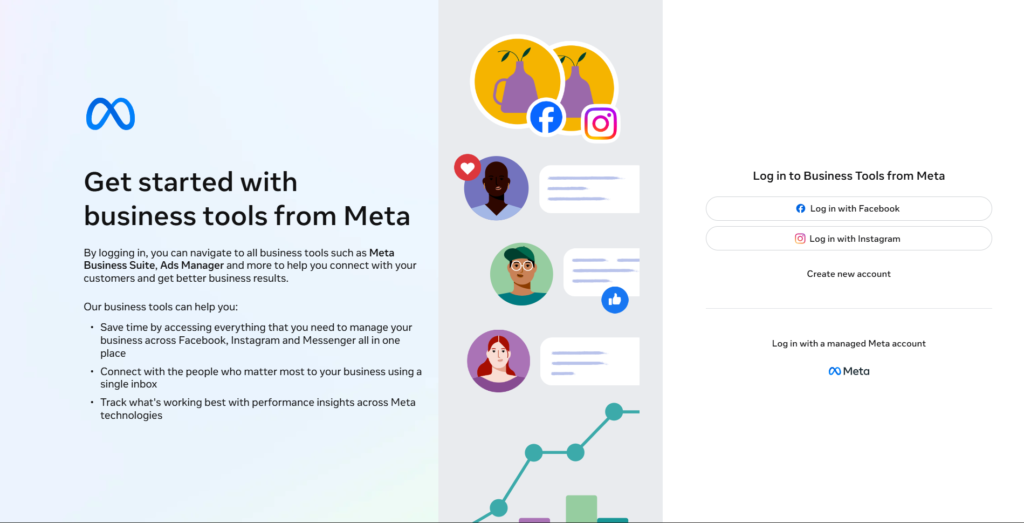
Before you can access Ads Manager, you need a Meta Business Suite account. This is a free, centralised platform that houses your Facebook Page, Instagram account, and ad account all in one place.
To get started, go to business.facebook.com and click “Create Account.” You will need a personal Facebook account to do this — Meta requires it for security and verification purposes. Enter your business name, your name, and your business email address, then follow the prompts.
Once inside Meta Business Suite, you will need to connect your Facebook Page and your Instagram account. If you do not yet have a Facebook Business Page, create one — it takes about five minutes. Your page does not need thousands of followers to run effective ads. What matters is that it exists, looks professional, and represents your business accurately.
After connecting your pages, navigate to the Ads Manager section. The first time you open it, it will prompt you to set up an ad account. You will be asked for your country (select Nigeria), your currency (you can select either Nigerian Naira or US Dollars — more on this shortly), and your time zone. Take this step seriously because your currency and time zone settings affect how your billing and ad scheduling work.
Sorting Out Your Payment Method
This is where many Nigerian business owners hit their first wall, so it deserves a direct conversation.
Meta charges for ads in the currency you selected during account setup. If you chose Naira, your card just needs to be a standard Nigerian debit or credit card. If you chose US Dollars — which some advertisers prefer for more stable budgeting — you will need a dollar-denominated card.
Popular options Nigerian business owners use include virtual dollar cards from Grey, Chipper Cash, or Barter by Flutterwave, as well as dollar cards from GTBank, Access Bank, and Zenith Bank. Once your card is added and verified, your account is ready to run ads.
One important note: Meta bills in cycles. Once your ad spend reaches a certain billing threshold (which starts small and increases over time as your account builds a payment history), your card is charged. Keep your card funded and avoid letting it decline — a failed payment can temporarily disable your ad account.
Understanding the Three-Level Structure of Every Campaign
Before you touch anything inside Ads Manager, you need to understand how it is structured. Every ad you run in Meta Ads Manager sits within three levels, and confusing these levels is one of the most common reasons Nigerian advertisers waste money.
At the top is the Campaign. This is where you set your objective — the single most important decision you will make. Your objective tells Meta what result you want. Are you trying to get more people to know your brand exists? That is an Awareness campaign. Are you trying to get people to visit your website? That is a Traffic campaign. Are you trying to get people to buy something, fill a form, or send you a WhatsApp message? That is a Sales or Leads campaign. Choose the wrong objective, and Meta will optimise your ad for the wrong outcome, showing it to people who are likely to scroll past, not people likely to buy.
Beneath the Campaign is the Ad Set. This is where you define your audience, set your budget, choose your ad placements (where on Facebook and Instagram your ad will appear), and set your schedule. Each campaign can contain multiple ad sets, which is useful when you want to test different audiences against the same creative.
At the bottom is the Ad itself — the actual image, video, or carousel that your target audience will see. Each ad set can contain multiple ads, which lets you test different creatives against the same audience.
Think of it like this: the Campaign is your goal, the Ad Set is your strategy to reach that goal, and the Ad is the message you deliver. Keep all three aligned, and your campaigns will perform far better.
Choosing the Right Campaign Objective
The objective you choose at the Campaign level determines everything that follows, so choosing correctly is critical. Meta currently organises objectives into six categories: Awareness, Traffic, Engagement, Leads, App Promotion, and Sales.
For most Nigerian businesses just getting started with Ads Manager, the most useful objectives are Leads, Sales, and Traffic.
Leads: is ideal if your business model requires a conversation before a sale, consultants, schools, real estate agents, event planners, and service providers of all kinds. Meta’s Lead Ads collect the customer’s name, phone number, and email directly within Facebook or Instagram without sending them to an external website. In a market like Nigeria, where data connections can be slow, and people are reluctant to navigate to unfamiliar websites, this frictionless format converts extremely well.
Sales: is the objective to choose if you have a functioning website or online store, and you want Meta to show your ad to people most likely to complete a purchase. This works best when your website has the Meta Pixel installed — a small piece of code that tracks what visitors do on your site and feeds that information back to Meta’s algorithm, making your targeting sharper over time.
Traffic: sends people to a destination, your website, your WhatsApp, your Instagram profile, or a specific link. It is useful for driving volume, but should not be confused with Sales. Meta will optimise Traffic campaigns to find people who click links, not necessarily people who buy.
For businesses that want people to message them directly on WhatsApp, select Sales as your objective and choose “Messaging apps” as your conversion location. This produces the Click-to-WhatsApp ad format that has become one of the most effective ad types for Nigerian businesses.
Building Your Audience
The Audience section inside your Ad Set is where Meta Ads Manager earns its reputation. The targeting options available here are genuinely extraordinary, and learning to use them well is what separates businesses that get results from those that keep complaining that ads do not work.
You have three main audience options: a Core Audience (built manually using demographics and interests), a Custom Audience (built from your existing customers or website visitors), and a Lookalike Audience (built by Meta to find people similar to your existing customers).
For a new account with no existing customer data, start with a Core Audience. Set your location to Nigeria — and if your business serves specific cities, narrow it further to Lagos, Abuja, Port Harcourt, or whichever cities are most relevant to you. Set your age range to reflect your actual customer base. Then use the Detailed Targeting section to layer in interests, behaviours, and demographics.
Be specific, but not so narrow that your audience becomes too small. As a general rule, an audience of between 500,000 and 2 million people is a healthy size for most Nigerian SMEs. Smaller than that, and your ad will run out of people to show to quickly. Larger than that, and you risk diluting your targeting and spending money on people unlikely to buy.
As your business runs ads and collects data, graduate to Custom and Lookalike Audiences. Upload your customer phone numbers or emails, create an audience from people who visited your website, or build a Lookalike Audience from your best customers. These audience types consistently outperform manually built ones because they are grounded in real data about real people who have already shown interest in your business.
Setting Your Budget
Meta gives you two budget options: a Daily Budget (the maximum Meta spends per day) or a Lifetime Budget (the total amount Meta can spend over the entire duration of your campaign).
For testing and getting started, a Daily Budget is more flexible because you can pause or adjust at any time. A daily budget of ₦3,000 to ₦5,000 (approximately $2 to $4) is enough to run a test campaign and gather useful data. It will not make you rich overnight, but it will teach you what your audience responds to — which is the most valuable thing you can learn in the early stages of advertising.
Do not fall into the trap of setting a very small budget and expecting transformative results in 48 hours. Give your campaigns at least five to seven days before drawing conclusions. Meta’s algorithm needs time to learn who to show your ad to, and the first few days are often the most expensive as it figures this out. This initial period is called the Learning Phase, and you will see it labelled as such in your Ads Manager dashboard. Avoid making major changes to your campaign during this phase — it resets the learning and costs you more money.
Choosing Your Ad Placements
Meta’s default setting is Advantage+ Placements, which means Meta automatically decides where to show your ad across Facebook, Instagram, Messenger, and its Audience Network. For most Nigerian businesses, this is fine. Meta’s algorithm is genuinely good at finding the placements where your audience is most likely to engage.
However, if you know your audience well and prefer more control, you can switch to Manual Placements and choose specific locations. Instagram Feed and Instagram Stories tend to perform exceptionally well for visual products. Facebook Feed reaches a broader demographic. Instagram Reels is growing fast and currently has lower competition, meaning your ads can reach more people for less money, a smart option for businesses targeting younger Nigerians.
One placement worth specifically enabling for Nigerian businesses is WhatsApp. Under Manual Placements, you can include WhatsApp as a placement destination, which works particularly well with Click-to-WhatsApp campaigns.
Creating Your Ad
This is the part most business owners rush to, when in reality it should be the last thing you set up, after your objective, audience, and budget are clearly defined. Your ad creative (the image or video and the copy) is what your customer actually sees, and it needs to do three things quickly: stop the scroll, communicate your value, and prompt action.
On visuals: Use real images of your product, your service in action, or your team at work whenever possible. Nigerians respond to authenticity. Stock photos feel foreign and distant; a picture of your actual jollof rice, your actual shop floor, or your actual client testimonial will always outperform a generic stock image. Videos between 15 and 30 seconds long tend to generate the highest engagement, especially on Instagram and Reels placements.
On copy: Your primary text (the words above the image) should lead with the most compelling thing about your offer, not your business name, not a generic greeting, but the thing that makes someone stop and pay attention. “Free delivery anywhere in Lagos this weekend” lands harder than “Welcome to ABC Store, your one-stop shop for all your needs.” Keep it short, direct, and written the way your customers actually speak.
On your call-to-action button: This small but important element tells people what to do next. Choose it deliberately. “Send WhatsApp Message,” “Get Quote,” “Shop Now,” “Learn More,” and “Sign Up” all produce different behaviours. Match it to what you actually want to happen when someone clicks your ad.
Before you publish, use the Ad Preview tool to see exactly what your ad looks like on every placement. Check it on mobile. Remember, most Nigerians are on their phones, and make sure nothing is cut off or hard to read.
Reading Your Results and Knowing What to Improve
Once your campaign has been running for at least five to seven days, open Ads Manager and look at your results. The dashboard shows you a range of metrics, but not all of them matter equally. Focus on the ones that tell you whether the ad is actually working.
Your Cost Per Result is the most important number. This tells you how much it costs to achieve the outcome you set as your objective, whether that is a lead, a message, a website visit, or a purchase. If this number is lower than what a customer is worth to your business, your ads are profitable. If it is higher, something needs to change.
Click-Through Rate (CTR) tells you what percentage of people who saw your ad actually clicked it. A low CTR (below 1%) usually means your creative or copy is not compelling enough, and people are seeing the ad but not acting on it. A high CTR with a high Cost Per Result usually means people are clicking but not converting on your website or landing page.
Relevance diagnostics, which Meta labels as Quality Ranking, Engagement Rate Ranking, and Conversion Rate Ranking, tell you how your ad is performing relative to other ads competing for the same audience. Below Average on any of these is a signal to improve your creative, your targeting, or your landing page.
Use these signals to make informed decisions. Pause ads that are consistently underperforming. Increase the budget on ads that are delivering results. Test the new creative against your best-performing ad. Advertising is not a set-and-forget activity; it rewards consistent attention and smart iteration.
The Most Common Mistakes Nigerian Advertisers Make in Ads Manager
Choosing the wrong objective is the single most expensive mistake, and it happens constantly. A business owner selects “Engagement” because they want people to interact with their ad, but what they actually want is sales. Meta dutifully delivers engagement: likes, comments, and reactions from people who have no intention of buying. The money is spent, and the business owner concludes that ads do not work.
Changing campaigns too frequently is another costly habit. When you keep adjusting your audience, budget, or creative before the Learning Phase is complete, you keep resetting the algorithm and paying the premium that comes with it. Patience in the first week of a campaign is genuinely valuable.
Running too many ad sets simultaneously with a small budget also hurts results. If you have a daily budget of ₦5,000 and you split it across five ad sets, each ad set gets ₦1,000, far too little for Meta’s algorithm to learn and optimise effectively. Concentrate your budget on fewer, better-defined campaigns and scale what works.
Finally, neglecting your Facebook Page and Instagram profile while running ads undermines everything. When someone sees your ad and decides to check your page before making a decision, which many Nigerians do, what they find must reinforce their confidence. A sparse page with three posts and no engagement tells a customer that your business is either new, inactive, or not serious. Keep your page active.
How Queposts Strengthens Everything You Do in Ads Manager
Running strong Meta ads is an excellent strategy. But your advertising does not live in a vacuum. When a prospective customer sees your ad, becomes curious, and goes to verify that your business is legitimate, which happens far more often than most business owners realise, they are searching for signals of credibility.
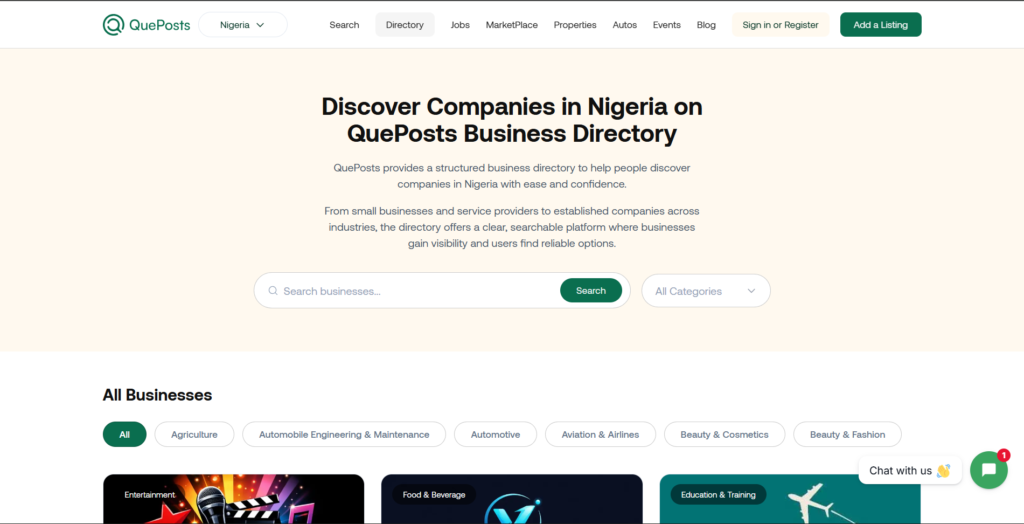
Queposts provides exactly that. As a modern business portal built for local and global discovery, a well-optimised Queposts listing gives your business a professional, permanent presence online that shows up when customers are doing their due diligence. It is the difference between a customer who clicks your ad and converts, and one who clicks, searches your business name, finds nothing convincing, and moves on.
Think of your Meta ads as the invitation and your Queposts listing as the venue, the place that confirms your business is real, established, and worth their trust. Together, they create an advertising ecosystem that does not just reach people but genuinely converts them.
List your business on Queposts today and ensure that every customer your ads reach finds a business that looks as good as the ad that brought them there.
Conclusion
Meta Ads Manager can feel overwhelming the first time you open it. The tabs, the metrics, the settings — it is a lot. But the business owners who push through that initial discomfort and invest the time to understand the platform properly are the ones who build sustainable, scalable businesses in Nigeria.
You do not need to master everything at once. Set up your account, run one campaign with a clear objective, watch what happens, and learn from it. Then run another. With each campaign, you will grow more confident, more precise, and more effective.
The platform rewards those who understand it. And now, you are already ahead of most.
Also Read:
Google Ads vs Meta Business Suite: Which is Better for Nigerian Business Owners? — If you are still deciding whether Meta or Google is the right platform for your business, this guide breaks down both options honestly using real Nigerian business scenarios to help you choose — or use both — wisely.
How to Advertise Your Business on Instagram: Proven Strategies That Convert — Once your Ads Manager is set up, Instagram is where the most visually compelling Nigerian brands are winning customers daily. This guide shows you exactly how to make it work for your business.