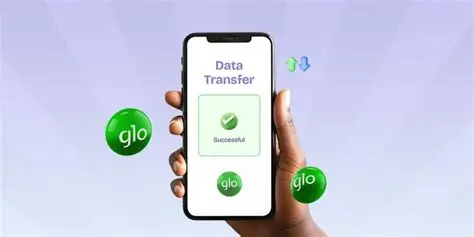

If you’ve ever found yourself with excess mobile data that’s just sitting there unused, Glo makes it super easy to share your data with friends, family, or colleagues. Whether you want to know how to share data on Glo, how to check who you’ve shared data with, or even how to remove share data on Glo, this guide walks you through everything you need to know, all in one place.
Let’s dive into how you can share your data on Glo using simple USSD codes or the Glo Café app.
Why You Should Know How to Share Data on Glo
Data sharing is one of Glo’s most useful features. It allows you to allocate a portion of your active data bundle to other Glo users, so they can browse the internet without buying a new plan. It’s perfect for families, small business teams, and students managing joint expenses.
Plus, understanding how to share my data on Glo also means you can easily control who accesses your data, remove unwanted numbers, and check shared balances.
How to Share Data on Glo to Glo Line
The easiest way to share your data on Glo is through the official USSD code.
Here’s the step-by-step process:
- Dial *312# on your Glo line.
- Select 3 for Share Data from the menu.
- Choose “Share Data Plan.”
- Enter the Glo number you want to share data with.
- Confirm the action to complete sharing.
Once you confirm, the recipient will instantly receive a notification that you’ve shared your data with them.
You can share data with up to five Glo numbers at once, making it one of the most generous sharing options among Nigerian telecoms.

Alternative Method: How to Share Data on Glo via Glo Café App
If you prefer doing things digitally, you can use the Glo Café App to share data.
Here’s how:
- Open the Glo Café App (available on Android and iOS).
- Log in using your Glo number.
- Tap on “Data Balance” or “Share Data.”
- Input the recipient’s Glo number.
- Choose the data amount to share and confirm.
The process takes less than a minute, and it’s perfect if you don’t remember USSD codes.
How to Check Share Data on Glo
If you’ve been sharing data and want to know who’s currently connected to your plan, follow these simple steps:
- Dial*312#.
- Select Share Data.
- Select list of shared numbers.
You’ll receive a message listing all the numbers you’ve shared data with.
How to Remove Share Data on Glo
If you’ve noticed your data depleting faster than usual, you might want to remove a number from your Glo data share list. Here’s how:
- Dial *312#
- Select share data.
- Select “unshared data.”
- Enter the Glo number.
Once removed, the person will no longer be able to use your shared data.
How to Check Who Shared Data with You on Glo
If you suddenly have active data and didn’t buy it, someone might have shared their plan with you. Here’s how to find out who shared data on Glo:
- Send “INFO” to 312 via SMS.
Glo will reply with details of any shared data you’re currently enjoying and the number that sent it.
How to Share Data on Glo to Other Networks (MTN, Airtel, 9mobile)
At the moment, you can only share data with other Glo subscribers. If you want to send data to someone using MTN, Airtel, or 9mobile, the best you can do is buy a data gift for their number through online banking apps or airtime top-up services, but direct data sharing between networks isn’t supported yet.
How to Know Who You Share Data With on Glo
You can check who’s on your data-sharing list by dialing *312# and following the prompt. This command lists all active beneficiaries. It’s a quick way to monitor your data-sharing activity and ensure you’re not unknowingly feeding a data vampire.
Troubleshooting: What If Data Sharing Doesn’t Work?
If you’re having trouble sharing data:
- Confirm that you have an active data bundle.
- Ensure the recipient’s number is a valid Glo line.
- Try again after a few minutes sometimes network delays occur.
- If problems persist, contact Glo Customer Care by dialing 300 (toll-free).
Final Thoughts
Glo’s data sharing feature is one of the most flexible and user-friendly in Nigeria. Whether you’re learning how to share data on Glo, how to cancel share data, or how to check who you’ve shared with, the USSD codes make managing your plan simple.
At Queposts, we believe in keeping you connected with reliable telecom guides, mobile tips, and the latest network updates across Africa. So next time you need to share your Glo data or stop someone from draining it, you’ll know exactly what to do.