
UBA USSD Code banking has become one of the fastest and most convenient ways for customers to carry out everyday banking transactions in Nigeria. With the UBA USSD code, customers can transfer money, check account balance, buy airtime, block ATM cards, and access other banking services without visiting a bank branch or using mobile data.
Many customers, however, ask an important question: how to activate UBA USSD code without an ATM card. This situation is common for new account holders, customers who misplaced their ATM cards, or those waiting for card issuance. This detailed guide explains everything you need to know about UBA USSD banking, including activation without an ATM card, usage steps, and important security tips.
What Is UBA USSD Code?
The UBA USSD banking code is a short banking code provided by United Bank for Africa that allows customers to access banking services directly from their mobile phones. It works on all Nigerian networks and does not require internet access or a smartphone.
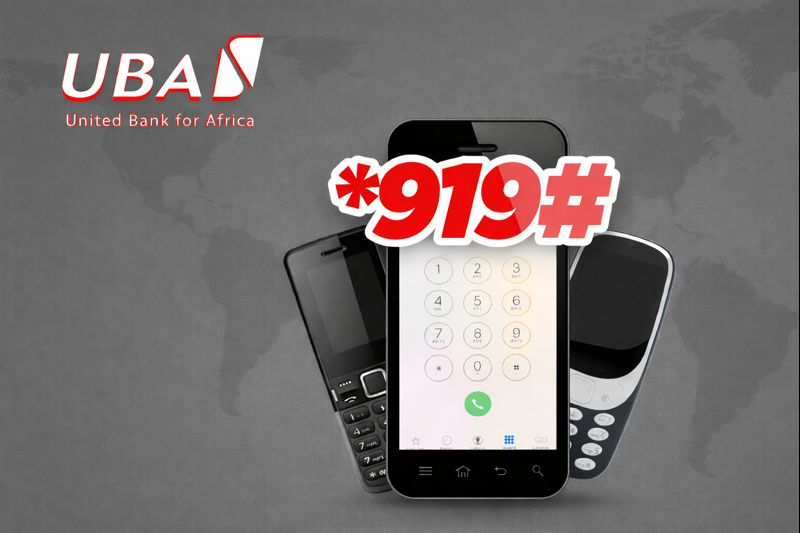
The official UBA bank USSD code is: *919#
If you are asking what is the USSD bank code for UBA, this is the primary code used for all UBA USSD banking services.
What Is the USSD Code for UBA Bank Used For?
The USSD code for UBA bank allows customers to perform several transactions, including:
- Money transfer
- Airtime purchase
- Data purchase
- Account balance check
- Account number retrieval
- BVN check
- ATM card blocking
- Account blocking
- SecurePass management
Because of its convenience, UBA USSD banking is widely used across Nigeria.
UBA USSD Code Nigeria Requirements
Before activating the UBA USSD online code Nigeria, customers must meet the following conditions:
- Have an active UBA bank account
- Use the phone number linked to the bank account
- Have a mobile phone with network coverage
- Have airtime on the SIM
An ATM card is often used during activation, but it is not compulsory, as explained below.
How to Activate UBA USSD Code
Normally, customers activate the UBA USSD banking code using their debit card details. However, if you do not have an ATM card, there is an alternative method available.
How to Activate UBA USSD Code Without ATM Card
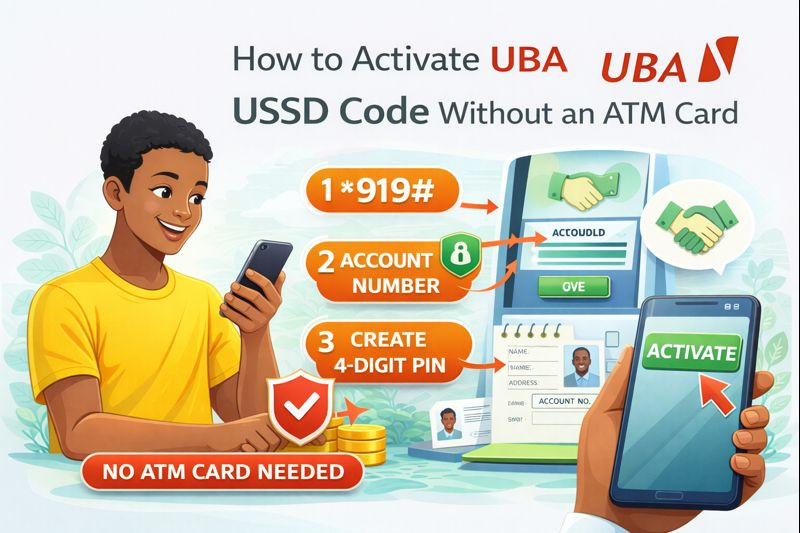
To activate the UBA USSD code without an ATM card, follow these steps carefully.
Step 1: Dial the UBA USSD Code
Dial *919# on the phone number registered with your UBA account.
Step 2: Select USSD Banking Registration
From the menu, choose the option for USSD banking registration or SecurePass setup.
Step 3: Choose Account Based Verification
When prompted to use an ATM card, select the option that allows verification using account details or BVN.
Step 4: Enter Your Account Details
You may be required to input:
- Your UBA account number
- Date of birth
- BVN details
These details help the bank verify your identity.
Step 5: Create Your SecurePass PIN
Set a four digit or five digit SecurePass PIN. This PIN will be required for all USSD transactions.
Step 6: Confirm Activation
Once confirmed, your UBA USSD code will be activated successfully without the need for an ATM card.
This method works for customers whose phone numbers are already linked to their bank accounts.
What Is SecurePass UBA USSD Code?
SecurePass is UBA’s transaction authorization system used for USSD banking. It replaces ATM card PIN usage for USSD transactions.
The SecurePass UBA USSD code is linked to your phone number and ensures that all transfers and payments are protected.
Once SecurePass is activated, you can:
- Transfer money
- Block cards
- Block accounts
- Perform sensitive transactions
How to Use UBA USSD Code
After activation, learning how to use UBA USSD code is simple.
Dial *919# and follow the menu options displayed on your screen.
UBA USSD Code for Transfer
The UBA USSD transfer code allows customers to send money instantly.
UBA USSD Code for Transfer to UBA Accounts
Dial: *919*amount*account number#
USSD Code for UBA Bank Transfer to Other Banks
Dial: *919*amount*account number#
Then select the recipient bank when prompted.
This method works for transfers to banks like Opay, Access Bank, GTBank, First Bank, and others.
USSD Code to Transfer from UBA to Opay
To transfer from UBA to Opay using USSD:
- Dial *919#
- Select transfer option
- Choose other banks
- Enter Opay account number and confirm
UBA USSD Code for Account Balance
To check your account balance using the UBA USSD code to check balance:
- Dial *919*00#.
- Enter your SecurePass PIN.
Your balance will be displayed instantly.
UBA USSD Code to Check Account Number
If you forgot your account number, the UBA USSD code to check account number makes it easy.
Dial: *919*00#
Then select account details to view your account number.
UBA USSD Code for BVN
To check your BVN using UBA USSD banking:
- Dial *565*0#
This is a national code and works regardless of your bank.
UBA USSD Code for Airtime Purchase
To buy airtime for yourself:
- Dial *919*amount#
To buy airtime for others:
- Dial *919*amount*phone number#
This works on all Nigerian networks.
How to Block My UBA ATM Card with USSD Code
If your ATM card is lost or stolen, you can block it instantly.
To block your card:
- Dial *919*10#
- Follow the prompts and confirm with SecurePass.
This action helps protect your funds immediately.
How to Block UBA Account with USSD Code
In cases of suspected fraud, you can block your account:
- Dial *919*911#
- Confirm with SecurePass
This temporarily restricts all transactions until resolved.
Benefits of Using UBA USSD Banking Code
Using the USSD code for UBA bank offers several advantages:
- Works without internet
- Available 24 hours daily
- Fast and reliable
- Accessible on basic phones
- Secure with SecurePass protection
It is especially useful in emergencies and rural areas.
Common Problems When Activating UBA USSD Code
Some customers experience issues such as:
- Phone number not linked to account
- Incorrect BVN details
- Network issues
- Insufficient airtime
If activation fails, customers are advised to visit a UBA branch or contact customer care.
Safety Tips When Using UBA USSD Code
To stay safe while using UBA USSD banking code:
- Never share your SecurePass PIN
- Avoid entering USSD codes sent by unknown persons
- Block your account immediately if your phone is stolen
- Use your registered phone number only
UBA will never request your SecurePass PIN.
Frequently Asked Questions
What Is UBA USSD Code?
The official UBA USSD code is *919#
Can I Activate UBA USSD Code Without ATM Card?
Yes, activation is possible using account and BVN verification.
Does UBA USSD Code Work on All Networks?
Yes, it works on MTN, Airtel, Glo, and 9mobile.
Is UBA USSD Banking Free?
Standard network charges apply for each transaction.
Conclusion
Activating the UBA USSD code without an ATM card is possible and convenient for customers who do not yet have access to their debit cards. By dialing *919# and completing SecurePass registration using account and BVN verification, customers can enjoy full UBA USSD banking services, including transfers, balance checks, airtime purchases, and account security features.
Staying informed about banking tools and digital finance options helps customers avoid unnecessary delays and risks. Queposts continues to provide reliable, easy to understand guides on USSD banking, financial services, and everyday digital solutions, helping Nigerians make confident and informed financial decisions in an increasingly cashless economy.