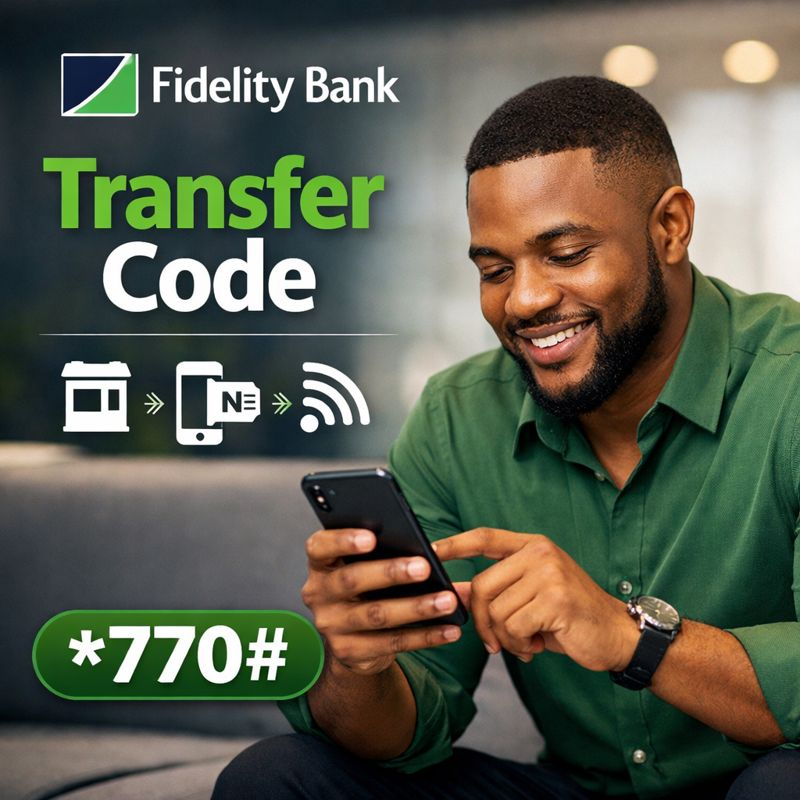

Fidelity Bank Transfer Code: Fidelity Bank is one of Nigeria’s leading commercial banks, known for its strong digital banking services and customer friendly solutions. One of the most widely used services offered by the bank is its USSD banking platform, which allows customers to perform transactions quickly using short codes on their mobile phones. Many customers frequently search for information about the Fidelity Bank transfer code, how to activate it, and what transactions can be completed using the service.
This comprehensive guide explains everything you need to know about the Fidelity Bank USSD code, including how to send money, buy airtime, check your account balance, retrieve your account number, block your account, and more.
What Is Fidelity Bank USSD Code?
The Fidelity Bank USSD code is a short mobile banking code that enables customers to access banking services without visiting a bank branch or using internet data. It works on all mobile phones, including basic feature phones, and is available across all Nigerian mobile networks.
The official USSD code for Fidelity Bank is: *770#
If you are asking what is the USSD code for Fidelity Bank, this is the primary code used for all Fidelity Bank USSD transactions.
What Is Fidelity Bank Transfer Code?
The Fidelity Bank transfer code is part of the USSD banking service and allows customers to transfer money instantly from their Fidelity Bank accounts to other Fidelity accounts or to accounts in other Nigerian banks.
Using the transfer code, customers can:
- Send money instantly
- Avoid long queues at bank branches
- Complete transactions at any time of the day
The service is available 24 hours daily.
How to Activate Fidelity Bank Transfer Code
Before using the Fidelity Bank transfer code, customers must activate the service.
Requirements for Activation
To activate the service, you need:
- An active Fidelity Bank account
- A mobile phone number registered with the bank
- A mobile phone with network coverage
- Airtime on your SIM
How to Activate Fidelity Bank USSD Code
Follow these steps:
- Dial *770# on the phone number linked to your Fidelity Bank account
- Select the option for USSD banking registration
- Enter your Fidelity Bank account number
- Create a four digit transaction PIN
- Confirm your PIN to complete registration
Once activation is successful, you can begin using the USSD code immediately.
Fidelity Bank USSD Code for Transfer
The Fidelity Bank USSD code for transfer allows you to send money easily.
Code to Transfer Money from Fidelity Bank to Fidelity Bank
To transfer to another Fidelity Bank account:
- Dial *770*amount*account number#
- Enter your transaction PIN to confirm
USSD Code for Fidelity Bank Transfer to Other Banks
To transfer to other Nigerian banks:
- Dial *770*amount*account number#
- Select the recipient bank when prompted
- Confirm the transaction with your PIN
This works for transfers to banks such as Access Bank, UBA, GTBank, First Bank, Opay, and others.
How to Transfer Money from Fidelity Bank Using USSD Code
If you are wondering how to transfer money from Fidelity Bank using USSD code, the process is simple:
- Dial *770#
- Select transfer
- Choose Fidelity Bank or other banks
- Enter the recipient account number
- Enter the amount
- Confirm with your PIN
The transfer is completed instantly in most cases.
Fidelity Bank Code to Check Balance
To check your account balance using the Fidelity Bank transfer code to check balance:
- Dial *770*0#
- Enter your transaction PIN.
Your account balance will be displayed on your screen immediately.
Code to Check Balance on Fidelity Bank Without Internet
The USSD method is the easiest way to check your balance without data. It works on all phones and is ideal for customers in areas with limited internet access.
Fidelity Bank USSD Code for Account Number
If you have forgotten your account number, Fidelity Bank provides a simple solution.
To retrieve your account number:
- Dial *770*0#
- Follow the prompt to view account details
This feature is helpful when filling forms or receiving transfers.
Fidelity Bank Code for Airtime Purchase
The Fidelity Bank USSD code also allows you to buy airtime easily.
Buy Airtime for Yourself
- Dial *770*amount#
- Confirm with your PIN
Buy Airtime for Others
- Dial *770*amount*phone number#
- Enter your PIN to complete the purchase
This works for all Nigerian networks.

Fidelity Bank Loan Code
Fidelity Bank offers quick loan services through its USSD platform. Customers searching for the Fidelity Bank loan code can access loan related options by dialing: *770#
From the menu, select loan services and follow the instructions provided.
Loan availability depends on eligibility, transaction history, and bank policies.
Code to Open Fidelity Bank Account
Fidelity Bank allows customers to open a basic account using USSD.
To open an account:
- Dial *770#
- Select account opening
- Provide the required personal details
This option is useful for customers without immediate access to a bank branch.
Fidelity Bank Code to Block Account
If your phone is lost or you suspect fraud, you can block your account instantly using USSD.
To block your Fidelity Bank account:
- Dial *770*911#
- Follow the prompts to confirm.
This temporarily stops all transactions on your account until you visit a branch for resolution.
Fidelity Bank Sort Code Explained
The Fidelity Bank sort code is a numerical code used to identify bank branches for interbank transactions. It is mostly required for official banking documentation and transfers.
Customers usually do not need the sort code for USSD transactions.
Fidelity Bank Swift Code
The Fidelity Bank swift code is used for international wire transfers. It identifies Fidelity Bank Nigeria in global banking systems.
The swift code is typically required for:
- Receiving international transfers
- Sending money abroad
- Foreign currency transactions
Customers should confirm the exact swift code from official bank channels when needed.
Fidelity Bank Short Code Summary
Here is a quick summary of important Fidelity Bank USSD codes:
- Fidelity Bank USSD code: *770#
- Transfer code: *770*amount*account number#
- Balance check: *770*0#
- Airtime purchase: *770*amount#
- Account blocking: *770*911#
These codes make banking faster and more convenient.
Benefits of Using Fidelity Bank USSD Code
Using the Fidelity Bank USSD code offers several advantages:
- Works without internet access
- Available 24 hours daily
- Fast and easy to use
- Secure with PIN authentication
- Accessible on all mobile phones
It is especially helpful for emergencies and rural banking.
Common Issues with Fidelity Bank USSD Code
Some customers may experience:
- Network delays
- Incorrect PIN entry
- Phone number not linked to account
- Insufficient airtime
If issues persist, customers are advised to contact Fidelity Bank customer care or visit a nearby branch.
Safety Tips for Using Fidelity Bank USSD Code
To protect your account:
- Never share your USSD PIN
- Avoid entering codes sent by unknown contacts
- Block your account immediately if your phone is stolen
- Use only your registered phone number
Fidelity Bank will never ask for your PIN.
Frequently Asked Questions
What Is the Fidelity Bank Transfer code?
The official USSD code is *770#
What Is Fidelity Bank USSD Code for Transfer?
The transfer code is *770*amount*account number#
Can I Use Fidelity Bank Transfer Code on Any Network?
Yes, it works on MTN, Airtel, Glo, and 9mobile.
Is Fidelity Bank USSD Free?
Standard network charges apply per transaction.
Conclusion
The Fidelity Bank transfer code offers a fast, secure, and convenient way to manage your finances without visiting a bank branch or using internet data. By dialing the fidelity bank transfer code which is *770#, customers can transfer money, buy airtime, check balances, retrieve account details, block accounts, and access other essential banking services anytime and anywhere in Nigeria.
Staying informed about banking codes and digital finance tools helps customers save time and avoid unnecessary stress. Queposts continues to provide clear, accurate, and up to date guides on bank USSD codes, financial services, and everyday digital solutions, helping Nigerians make confident and informed financial decisions.