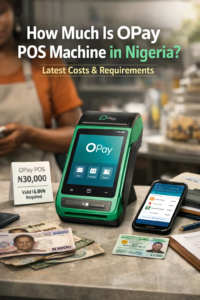

Converting airtime to cash in Nigeria has become an essential service, especially for people who mistakenly recharge large amounts or want to unlock the value of unused airtime. Platforms like OPay have made this process fast, automated, and reliable, giving users the freedom to exchange airtime for real money that can be withdrawn to any bank account.
This guide explains exactly how to convert airtime to cash on OPay, including conversion rates, supported networks, how to transfer the airtime correctly, and how to receive the money instantly. It also covers key questions users frequently ask, such as whether MTN airtime can be converted to cash, how to convert airtime to cash on Airtel or Glo, and how to send the cash directly to a bank account.
Can You Convert Airtime to Cash on OPay?
Yes. OPay provides an official Airtime Swap / Airtime to Cash feature that allows Nigerian users to convert airtime from:
- MTN
- Airtel
- Glo
- 9mobile
The entire process takes less than five minutes and requires only an OPay account and a functioning mobile number.
How to Convert Airtime to Cash on OPay (Detailed Step-by-Step Guide)
Below is the complete process with expanded explanations for clarity.
Step 1: Log In to Your OPay App
Open the OPay app on your smartphone. If you do not have the app, download it from the Google Play Store or Apple App Store and create an account using your phone number. Make sure your account is fully verified for smooth transactions.
Step 2: Navigate to the Airtime to Cash Section
On the OPay homepage:
- Scroll through the service icons.
- Look for Airtime to Cash, Airtime Swap, or Airtime Conversion.
If you cannot find it immediately:
- Tap More.
- Scroll to the Services category.
- Select Airtime to Cash.
This takes you directly to the section where airtime conversion starts.
Step 3: Select the Network You Want to Convert Airtime From
OPay supports airtime conversion from all major networks:
- MTN
- Airtel
- Glo
- 9mobile
Choose the correct network to avoid transaction delays.
This step is important because each network has a different conversion rate and transfer method.
Step 4: Enter the Amount of Airtime You Want to Convert
OPay will ask you to enter the specific amount of airtime you want to convert.
For example:
- 500 naira
- 1,000 naira
- 2,000 naira
- Or more, depending on your network.
Once you enter an amount, OPay will immediately display:
- The conversion rate.
- The exact amount you will receive in cash.
- Any processing fee.
Rates differ by network.
For example, 1,000 naira airtime may return around 750 naira to 850 naira depending on the day and provider.
Step 5: OPay Generates a Unique Airtime Receiver Number
After confirming the amount, OPay will generate a unique phone number where you must send the airtime.
This number is exclusive to your transaction and expires after a short period. Do not send airtime to any number unless OPay provides it within the app.
Step 6: Transfer the Airtime to the Provided Number
To complete the transaction, you must send airtime to the number OPay provided.
You must use each network’s correct airtime transfer code.
Airtime Transfer Codes for All Networks
Below are the exact USSD formats:
MTN:
Dial:
*777*Recipient Number*Amount*PIN#
Airtel:
Dial:
*432*Recipient Number*Amount#
Glo:
Dial:
*131*Recipient Number*Amount*PIN#
9mobile:
Dial:
*223*PIN*Amount*Recipient Number#
Enter all codes carefully. Any mistakes may delay the transaction.
Step 7: Return to the OPay App and Confirm Transfer
After transferring the airtime, go back to the OPay app and tap:
- I Have Sent It.
- or Confirm Transfer.
OPay will automatically verify the airtime transfer. Verification usually takes less than one minute.
Step 8: Receive Your Cash Instantly in Your OPay Wallet
Once verified, the cash equivalent of your airtime appears in your OPay wallet.
From your wallet, you can:
- Transfer the money to your bank account.
- Use it for data purchases.
- Pay bills.
- Make online payments.
- Withdraw using an OPay agent.
This officially completes the process of how to convert airtime to cash to your bank account.
Important Rules to Note
To avoid failed or delayed transactions, follow these rules:
- Always generate a transaction inside the OPay app before sending airtime.
- Do not store the airtime transfer number for future use; it changes each time.
- Ensure you send airtime from the same phone number you selected in the app.
- Conversion rates depend on your network and may fluctuate daily.
- Avoid sending airtime twice for the same transaction unless instructed.
How Much Airtime Can Be Converted at Once?
OPay typically allows conversions between:
- Minimum: 100 naira
- Maximum: 5,000 naira to 10,000 naira per transaction
(depending on the network)
You can perform multiple transactions per day if needed.
Alternative Ways to Convert Airtime to Cash
If OPay is unavailable, here are other reliable options:
PalmPay
PalmPay has a similar “Airtime to Cash” feature inside the app.
MTN MoMo
Dial *223#
Select Airtime Cash-Out.
Third-Party Platforms
Try platforms like AirtimeFlip or CheetahPay, although OPay remains safer.
Frequently Asked Questions
1. Can I convert MTN airtime to cash on OPay?
Yes. MTN is fully supported.
2. Can I transfer the converted airtime directly to my bank?
Yes. After receiving the cash in your OPay wallet, transfer it to any bank account.
3. Can I convert bonus airtime to cash?
No. Only main account airtime is accepted.
4. Is airtime conversion legal?
Yes. It is a recognized fintech service in Nigeria.
Conclusion
Converting airtime to cash using the OPay app is one of the fastest and most reliable methods available in Nigeria. The process is simple: open the app, select Airtime to Cash, enter the amount, send the airtime to the generated number, and receive instant cash in your OPay wallet. From there, you can withdraw to any Nigerian bank.
For more detailed digital guides, tutorials, and everyday solutions, visit Queposts, a trusted platform for accurate tech and financial tips.