
If you’re a student seeking admission into a Nigerian university, polytechnic, or college of education, you’ve probably heard of JAMB CAPS. But what exactly is it, how does it work, and how do you use it to accept or reject admission?
This complete guide explains what JAMB CAPS is, how to use the JAMB CAPS portal, how to check your JAMB CAPS admission status, how to log in, and what to do when your admission is not showing.
Whether you’re looking for JAMB CAPS admission status login, JAMB CAPS login with registration number, or simply want to understand how the system works, this guide covers everything.
What Is JAMB CAPS?
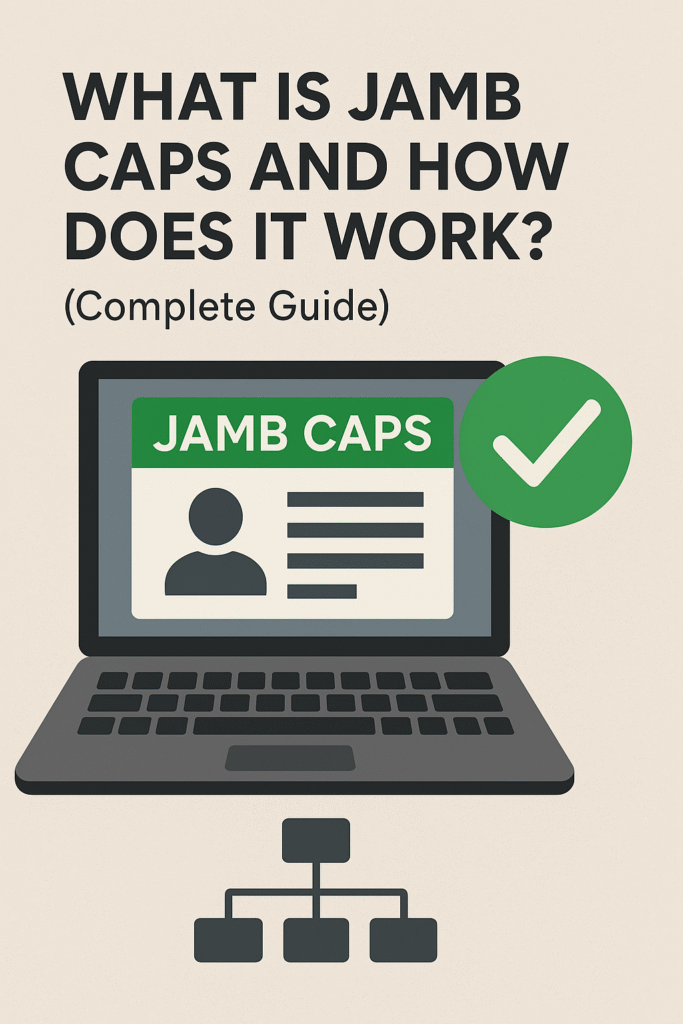
JAMB CAPS means Central Admission Processing System, a platform created by the Joint Admissions and Matriculation Board (JAMB) to simplify and standardize the admission process in Nigeria.
CAPS ensures:
- Transparency in admission
- Merit-based selection
- Fairness for all candidates
- Easy access to JAMB CAPS admission status
- Direct approval or rejection of admission offers
If you’ve ever wondered “what is JAMB CAPS?”, this is your answer: it is the system that controls and approves admissions into all higher institutions in Nigeria.
How Does JAMB CAPS Work?
CAPS JAMB works by coordinating the admission process between:
- JAMB
- Universities
- Polytechnics
- Colleges of Education
- Candidates
Here’s what happens behind the scenes:
1. Schools Upload Admission Lists
Your school uploads the JAMB CAPS admission list to the portal.
2. JAMB Reviews It
JAMB checks if the admissions follow federal guidelines, cut-off marks, quota, subject combinations, and merit.
3. Candidates Accept or Reject Admission
You must log in to my JAMB CAPS to:
- Accept admission
- Reject admission
If you do not accept it, it may be given to someone else.

Features of the JAMB CAPS Portal
The JAMB CAPS portal login gives candidates access to:
- JAMB CAPS Admission Status
- O’level Result Upload
- Transfer Approval
- Choice of Institution
- Marketplace (recommendations)
- Admission Acceptance/Rejection
- JAMB CAPS Matriculation List
If you hear people asking about JAMB CAPS matriculation list or how to access my JAMB CAPS, these features are what they’re referring to.
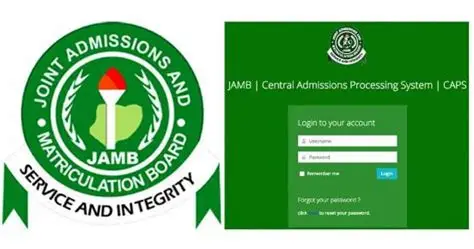
How to Login to JAMB CAPS (Step-by-Step)
Many students ask how to login to JAMB CAPS, especially if they want to use JAMB CAPS login with registration number or their email.
Step 1: Visit the JAMB E-Facility Portal
Go to the official JAMB CAPS login portal (efacility portal).
Step 2: Enter Your Email and Password
Use the email you registered with during UTME.
Step 3: Click “Check Admission Status”
This takes you to the JAMB CAPS portal.
Step 4: Click “Access CAPS”
This opens the main dashboard.
From here, you can view:
- My JAMB CAPS
- Admission status
- O’level status
- Transfer approval
This also answers:
- How to access JAMB CAPS
- My JAMB CAPS login
- JAMB CAPS portal login
- Access my JAMB CAPS
How to Login to JAMB CAPS With Registration Number
Some candidates cannot log in with email. In this case, you can use your JAMB registration number.
Steps:
- Open the JAMB CAPS admission status login portal.
- Enter your JAMB registration number.
- Choose your exam year.
- Click Check Admission Status.
This method is popular among 2024, 2025, and 2026 candidates looking for:
- JAMB CAPS login with registration number
- JAMB CAPS login with registration number 2024
How to Check Admission Status on JAMB CAPS (2024, 2025, 2026)
If you’re searching for:
- How to check JAMB CAPS
- How to access my JAMB CAPS
- How to check admission status on JAMB CAPS
- How to check my admission status on JAMB CAPS
Follow the guide below.
Step 1: Log into Your JAMB E-Facility
Use email/password or registration number.
Step 2: Click “Check Admission Status”
Step 3: Click “Access CAPS”
Step 4: Navigate to “Admission Status”
Your admission status will show:
- Admitted
- Not Admitted
- Admission in Progress
If admitted, you must Accept or Reject the admission.
This is what people refer to when they search:
- JAMB CAPS admission check
- JAMB CAPS admission status 2024 login
- JAMB CAPS admission status 2025 2026
What You Will See on Your JAMB CAPS Dashboard
When you open My JAMB CAPS, these sections appear:
1. O’level Result
Shows if your results were uploaded correctly.
2. Admission Status
Displays whether you’ve been offered admission.
3. Marketplace
Shows schools that may consider you for admission.
4. Transfer Approval
If a school wants to transfer you to another course, you must approve here.
5. Programme Details
Shows your institution and course choices.
How to Accept or Reject Admission on JAMB CAPS
Once admitted:
- Click “Accept Admission”
or
- Click “Reject Admission”
If you do not respond, your admission can be withdrawn.
Common Problems Students Face on JAMB CAPS (and Solutions)
1. Admission Not Showing
Solution: Check back, schools release batches gradually.
2. Wrong O’level Combination
Solution: Upload correct O’level results at any accredited centre.
3. Cannot Login to JAMB CAPS
Solution: Reset your password or use login with registration number.
4. “Admission in Progress” for Weeks
Solution: Be patient, it usually updates soon.
What Is the JAMB CAPS Matriculation List?
The JAMB CAPS matriculation list confirms whether JAMB has officially recognized your admission.
If your name is not on this list, you may:
- Not be eligible for NYSC
- Not have your admission validated
This is why checking the JAMB matriculation CAPS list is crucial.
JAMB CAPS Admission List
Your school’s CAPS admissionlist is uploaded in batches.
You can check it via:
- JAMB CAPS dashboard
- School portal
- Admission news updates
Frequently Asked Questions (FAQs)
1. What is JAMB CAPS?
It is the Central Admission Processing System used to process admissions in Nigeria.
2. How do I check my JAMB CAPS?
Log in to the JAMB portal, click Access CAPS, and select Admission Status.
3. How do I access my JAMB CAPS admission status login?
Through the E-facility portal using your email or registration number.
4. What does “Admission in Progress” mean?
Your school has recommended you, but JAMB has not approved it yet.
5. How many times can I check my JAMB CAPS?
As many times as you want. it’s free.
Conclusion
Understanding JAMB CAPS is essential for every Nigerian student seeking admission. From checking your admission status to accepting your offer, managing your O’level results, and reviewing transfer approvals, CAPS ensures a smooth and transparent admission process.
For more detailed education guides and updates like this, visit Queposts, your trusted source for admission information and student-friendly tutorials.