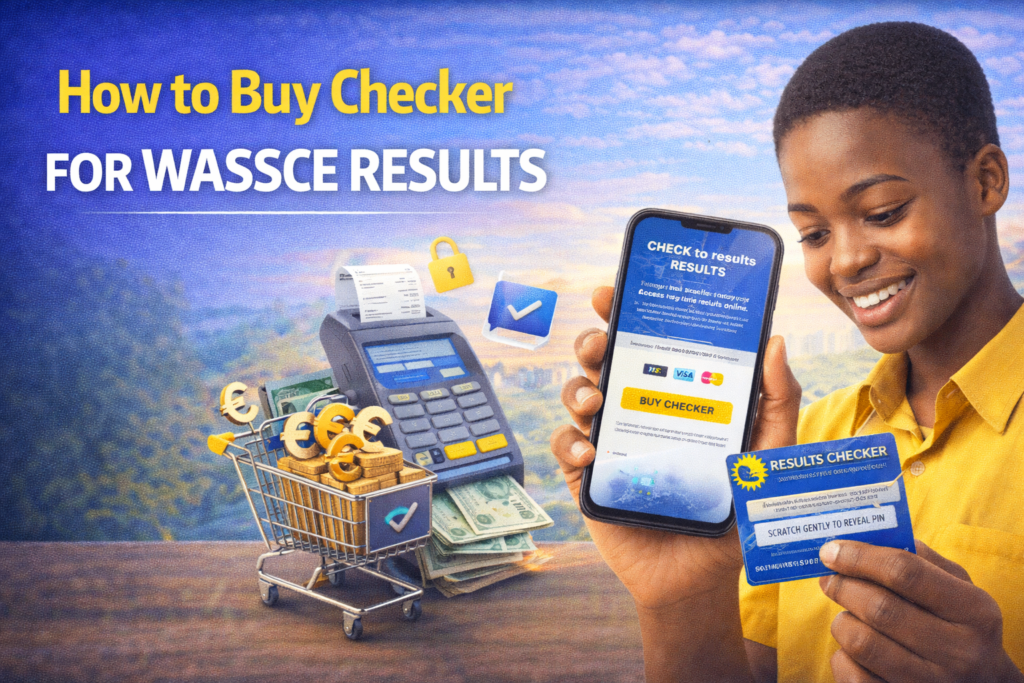

The West African Senior School Certificate Examination (WASSCE) serves as the culmination of secondary education in Ghana, with results determining university admission eligibility and career pathways. After completing this rigorous examination, students and parents anxiously await results that shape their futures. The West African Examinations Council (WAEC) provides multiple convenient methods for buying result checkers, making sure everyone can access results regardless of location, technology access, or payment preferences.
In Ghana, you can buy checker for WASSCE Results containing your Serial Number and PIN through various convenient digital and physical methods. Understanding all available options helps you choose the most convenient methos based on your circumstances, whether you prefer instant digital delivery through mobile phones, online portals with email confirmations, or traditional physical vouchers from banks and post offices.
1. Mobile Short Codes (USSD)
This is the fastest method and works on all major networks including MTN, Telecel, and AT without needing internet data. USSD accessibility makes it ideal for students in areas with limited internet connectivity or those using basic feature phones.
Available Codes:
- Main Code: Dial *899*550# for the primary WASSCE checker service
- Alternative Codes: Use *713*3998#, *789*444#, or *790*024# if the main code is busy or unavailable
Purchase Steps:
- Dial the code on your mobile phone using any of the numbers listed above
- Select the WASSCE Results Checker option from the menu that appears on your screen
- Enter the quantity you need (usually “1” unless checking multiple candidates)
- Review the payment amount displayed on your screen, including any transaction fees
- Approve the payment via your Mobile Money wallet by entering your MoMo PIN when prompted
- Receive your credentials via SMS instantly containing your Serial Number and PIN
- Save the SMS immediately and do not delete until you’ve checked and saved results
- Screenshot the message as backup in case you accidentally delete the SMS
Important Notes:
- Keep your MoMo wallet funded with sufficient balance before purchasing
- Network congestion during result release periods may slow SMS delivery
- If SMS doesn’t arrive within 5 minutes, contact customer service with transaction reference
- Multiple attempts with wrong PINs may lock your account temporarily

2. Online Portals
You can buy checkers directly through authorized vendor websites using Mobile Money or debit cards. Online purchasing provides convenience for smartphone users with internet access and typically includes email delivery alongside SMS.
- Visit the website through your phone or computer browser
- Select WASSCE Results Checker from available examination options
- Enter your phone number and email address
- Choose Mobile Money or card payment method
- Complete payment authorization
- Receive Serial Number and PIN via SMS and email instantly
FastGhana:
- Navigate to the FastGhana website
- Choose the WASSCE checker from examination types
- Enter your contact details accurately
- Select Mobile Money as payment method
- Authorize the transaction through your MoMo account
- Check your email and SMS for checker details within minutes
BuyCheckersNow.com:
- Access the platform through any internet-enabled device
- Select WAEC WASSCE voucher from product categories
- Provide your phone number and email
- Complete payment using Mobile Money or debit card
- Receive instant delivery of PIN and Serial Number
- Download or screenshot the confirmation page as backup
Benefits of Online Purchase:
- Email delivery provides additional backup beyond SMS
- Transaction history accessible through website accounts
- Customer service contact information readily available
- Multiple payment methods including international cards
3. Physical Locations
If you prefer physical vouchers or scratch cards, you can visit authorized locations nationwide. Physical checkers work well for those who want tangible proof of purchase or prefer traditional payment methods.
Ghana Post Offices:
- Available at selected branches nationwide in major towns and cities
- Purchase using cash payment at the counter
- Receive physical scratch card with Serial Number and PIN printed underneath silver panel
- Scratch carefully to reveal credentials without damaging numbers
- Keep the card safely until results are checked and saved
WAEC Offices:
- Purchase directly from any WAEC district office across Ghana
- Staff can answer questions about result checking procedures
- Cash or Mobile Money payment accepted depending on office
- Receive official WAEC-issued result checker cards
- Operating hours typically 8:00 AM to 5:00 PM on weekdays
Authorized Banks:
- Some major banks in Ghana sell WAEC e-vouchers
- Visit customer service desks at bank branches
- Purchase through your bank account or cash
- Receive printed receipt with Serial Number and PIN
- Bank transactions create additional payment records for disputes
Physical Purchase Considerations:
- Requires travel to physical locations during business hours
- May involve queuing during peak result release periods
- Physical cards can be lost or damaged
- Some locations may experience stock shortages during high demand
How to Use WASSCE Result Checker
Once you have your PIN and Serial Number through any purchase method, visit the official WAEC Ghana Results Portal to view your grades.
Follow these steps to check your result:
- Open your internet browser on phone, tablet, or computer
- Navigate to the WAEC Ghana Results Portal (search “WAEC Ghana results” or use direct URL)
- Enter your Index Number exactly as it appears on your examination documentation
- Confirm your Index Number by typing it again in the verification field
- Select WASSCE as the exam type from the dropdown menu
- Choose the Exam Year corresponding to when you wrote the examination
- Input your Serial Number from your purchased checker
- Enter your 12-digit PIN carefully without spaces or errors
- Complete the captcha verification (“I’m not a robot” checkbox or image selection)
- Click Submit to view your results on screen
- Save results as PDF by using browser print function and selecting “Save as PDF”
- Take screenshots as additional backup of displayed results
Usage Limit:
- Each voucher can typically be used to check the same result up to 3 times
- This allows reviewing results multiple times without repurchasing
- One checker card is locked to one student
- Don’t waste attempts by entering incorrect Index Numbers
QuePosts: Local Business Directory in Ghana
Worried about next steps after checking WASSCE results? Need help with university applications or alternative education pathways? QuePosts connects you with Ghana’s entire education ecosystem through the country’s most comprehensive local business directory. Find university admission consultants who guide application processes for public and private institutions, scholarship coordinators helping high-performing students access financial aid, and career counselors advising on course selection based on WASSCE grades and career aspirations.
The directory includes verified listings for document processing centers that handle transcripts and certifications, professional CV writers helping graduates prepare job applications, skills training institutions providing alternative education for students not pursuing university, and mentorship programs connecting students with professionals in their fields of interest.
QuePosts also lists tutoring centers for students needing to rewrite specific subjects, adult education programs for mature students, distance learning providers for flexible education options, and educational financing services.
Getting your WASSCE results shouldn’t be stressful. Nowadays, there are plenty of reliable ways to grab a checker, so you can just pick whichever one feels easiest for you. Just make sure you’re buying from a verified source and double-check your payment info so you don’t end up with an invalid PIN. Once you’ve got a valid code in hand, the whole process is actually pretty quick and leaves you with one less thing to worry about.