
The Basic Education Certificate Examination (BECE) determines placement into senior high schools, making result checking one of the most anxious moments for Ghanaian students and parents. Fortunately, the West African Examinations Council (WAEC) Ghana has made checking results straightforward through mobile phones, cutting out the need to visit cyber cafes or wait for physical result slips. Anyone with a basic phone and Mobile Money can access results within minutes of official release.
Learning how to check BECE results on your phone involves just two main steps.: first, buying a result checker PIN, and then using it on the official WAEC Ghana portal. This system ensures only authorized persons access results while generating revenue that supports WAEC operations. Knowing exactly what to do ahead of time prevents avoidable errors, making the result-checking process much less stressful.
Step 1: Buy a Result Checker PIN
You can buy the PIN and Serial Number directly on your phone using Mobile Money (MoMo) via any of these popular shortcodes:
Method A: Using *713*3998#
- Dial *713*3998# from your mobile phone
- Select Option 1 for “BECE Results Checker”
- Enter the quantity you want to buy (usually “1”)
- Confirm the payment amount displayed
- Authorize the transaction by entering your MoMo PIN when prompted
- Wait for SMS containing your Serial Number and 12-digit PIN
Method B: Using *920*227#
- Dial *920*227# on your phone
- Select Option 2 for “BECE”
- Enter the number of cards you want
- Confirm the payment details
- Enter your MoMo PIN to authorize payment
- Receive SMS with your Serial Number and PIN
Method C: Using *389*223#
- Dial *389*223# from any network
- Select Option 1 for BECE results
- Follow prompts to specify quantity and confirm payment
- Enter your MoMo PIN when requested
- Wait for confirmation SMS with credentials
Once payment is confirmed, you will receive an SMS containing your Serial Number and 12-digit PIN. Save this message immediately and do not delete it until you’ve successfully checked and saved your results.

Step 2: Check Results Online
Follow these steps to check your BECE results online:
- Open your phone’s browser
- Go to the official WAEC eResults Portal (search “WAEC Ghana results” or type the URL if you have it)
- Enter your 10-digit Index Number in the first field
- Confirm your Index Number by typing it again in the next box (this prevents typos)
- Select your Examination Type from the dropdown menu (choose “BECE School” or “BECE Private” depending on your registration)
- Select your Examination Year (e.g., 2025 for the 2025 examination)
- Enter the Serial Number you received via SMS
- Enter the 12-digit PIN exactly as received in your SMS
- Complete the “I’m not a robot” captcha by checking the box or selecting images as requested
- Click Submit to view your results
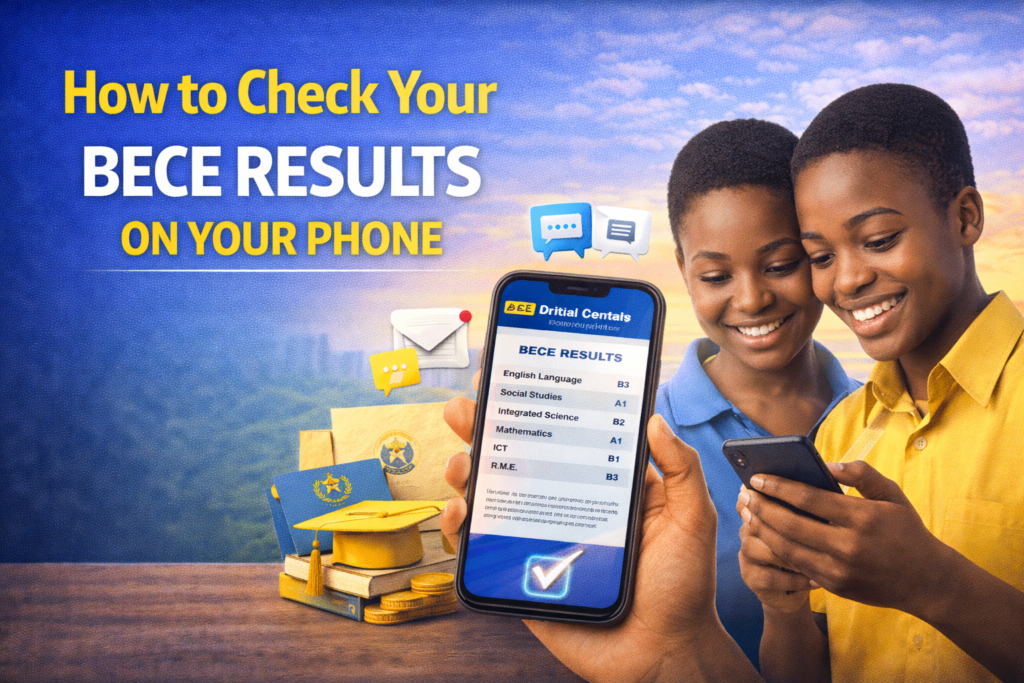
Your results will display on screen showing grades for each subject, your aggregate score, and other relevant information.
Pro Tips to Check BECE Results on Your Phone
Save as PDF:
- Once results appear on your screen, tap the “Print” option in your browser
- Select “Save as PDF” instead of printing
- Choose a location on your phone to save the file
- This creates a permanent copy you can access offline and share with schools
SMS Option:
- In some cases, you can text RESULT to shortcode 468 (specific to some networks) to get results directly via text message
- This method bypasses the web portal entirely
- Check if your network supports this option
Usage Limit:
- One result checker can typically be used to check one index number up to 3 times
- This allows you to view results multiple times if needed
- Don’t share your PIN with too many people to avoid exhausting the usage limit
Additional Precautions:
- Double-check your Index Number before submitting to avoid errors
- Ensure you have stable internet connection when checking results
- Screenshot your results in addition to saving as PDF
- Keep your Serial Number and PIN confidential to prevent unauthorized access
- If results don’t appear, verify you selected the correct examination type and year
- Contact WAEC customer service if you experience persistent technical issues
Avoiding Common Mistakes:
- Don’t delete the SMS with your PIN until you’ve saved results
- Don’t share your PIN publicly on social media
- Verify you’re on the official WAEC portal, not fake websites
- Enter your Index Number without spaces or dashes
- Complete the captcha carefully to avoid submission errors
QuePosts: Local Business Directory in Ghana
Confused about CSSPS placement after checking your BECE results? Need help understanding your aggregate score or finding schools that match your grades? QuePosts connects you with Ghana’s complete education services through the country’s most comprehensive local business directory. Find educational consultants who specialize in school placement strategies, explaining which schools your aggregate qualifies for and how to maximize CSSPS selections. Connect with tutors who can help students who need to rewrite specific subjects, and find scholarship programs for high-performing students with financial constraints.
QuePosts includes verified listings for printing shops that format BECE results properly for school applications, internet cafes with reliable connections for online placement processes, and documentation services helping with school application requirements. Access contact information for WAEC regional offices when you need official result verification or have concerns about grading.
And that’s all there is to it! Checking your results doesn’t have to be a nerve-wracking experience if you have your PIN and index number ready to go. Just take a deep breath, follow the steps on the WAEC Ghana portal, and remember that whatever the outcome, it’s just the beginning of your next big chapter.