
For students in Ghana, the BECE is more than just an exam; it is a defining moment in their academic journey. These results are the key factor in the Computerized School Selection and Placement System (CSSPS), which determines which senior high school a student will attend. After completing the examination, students and parents anxiously await results that determine the next step in their academic journey. The West African Examinations Council (WAEC) now provides digital result checking through scratch card vouchers containing PIN and Serial Numbers that unlock results online.
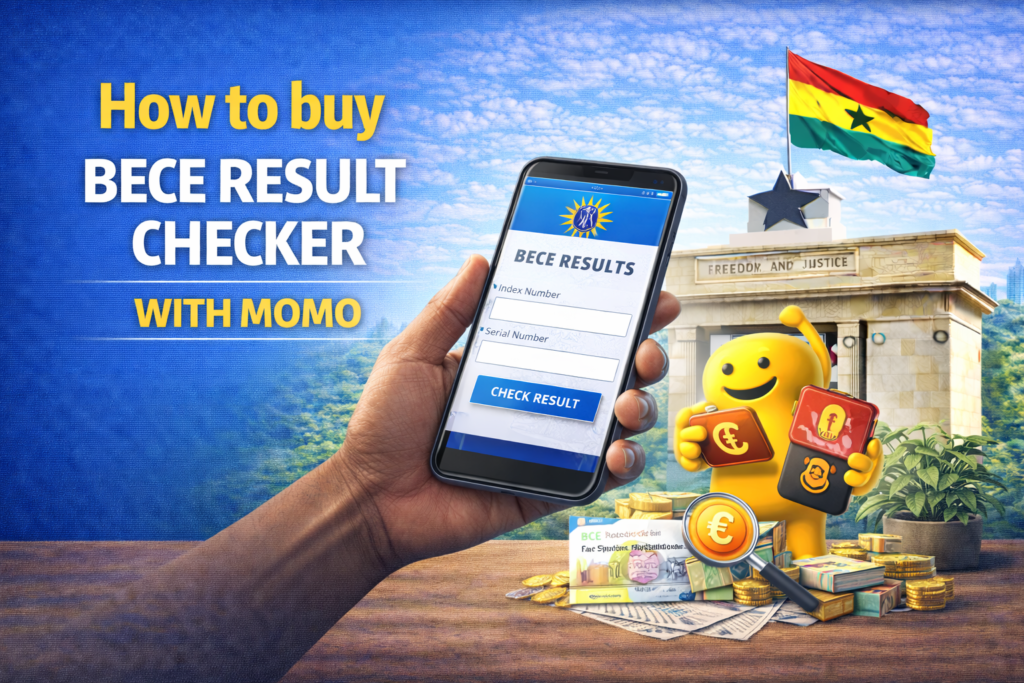
Mobile Money has been a game-changer for families buying these result checkers. Now, instead of hunting down a physical shop or waiting in long bank queues, people can simply buy the PINs instantly right from their phones. To buy BECE result checker with MoMo, you can use several established USSD codes or online portals.
Buying through Mobile Money is just much more practical than hunting for physical scratch cards. It’s fast, convenient, and you can get it done from anywhere, at any time, without having to travel. One of the best parts is that the PIN is sent straight to your phone via SMS, so there’s no risk of losing a physical card before you get to use it. You also don’t have to worry about vendors running out of stock. Plus, if anything goes wrong, you have a digital receipt right in your transaction history to prove you paid for it.
Method 1: Using USSD Codes
USSD codes are the fastest way to buy them, working on any mobile phone including basic feature phones without requiring internet access. This accessibility ensures even families without smartphones can buy result checkers digitally.
Standard All-Network Code allows purchasing by dialing *713*3998# or *389*223# from any mobile network. These codes work across MTN, Vodafone, and AirtelTigo, providing universal access regardless of your mobile provider. After dialing, your phone displays a menu showing available examination result checkers including BECE, WASSCE, and others.
Select the BECE Results Checker option from the menu displayed on your screen. Navigation typically involves pressing the number corresponding to BECE. After selecting BECE, the system requests the quantity you wish to buy. Most purchases involve single checkers, though some families buy multiple checkers if they have several candidates or want backup copies.
Enter the quantity when prompted, typically just “1” for single purchases. The system then displays the total payment amount including the checker cost and any transaction fees. Confirm the payment amount by selecting the appropriate option.
Authorize the transaction by entering your MoMo PIN when the prompt appears on your screen. This authorization request comes from your Mobile Money provider (MTN, Vodafone, or AirtelTigo). Enter your MoMo PIN carefully, as incorrect entries may temporarily lock your account. After successful PIN entry and sufficient account balance confirmation, the transaction processes immediately.
You will receive the PIN and Serial Number via SMS immediately after successful payment. This SMS contains the information needed to check results on the WAEC portal. The PIN is typically a lengthy numeric code, while the Serial Number follows a specific format. Both must be entered exactly as received when checking results, so keep this SMS carefully.
Method 2: Using Online Portals
If you prefer using a web browser, several authorized platforms allow MoMo payments through internet-connected devices including smartphones, tablets, and computers. Online purchasing gives you a visual layout that some users find easier than USSD text menus.
Visit a trusted site such as the E-FastGhana Portal or ResultsChecker.com.gh, which are authorized platforms for buying WAEC result checkers. These websites include official branding and security indicators showing legitimacy. Be careful of fraudulent websites impersonating official services; verify URLs carefully and only use well-known platforms.
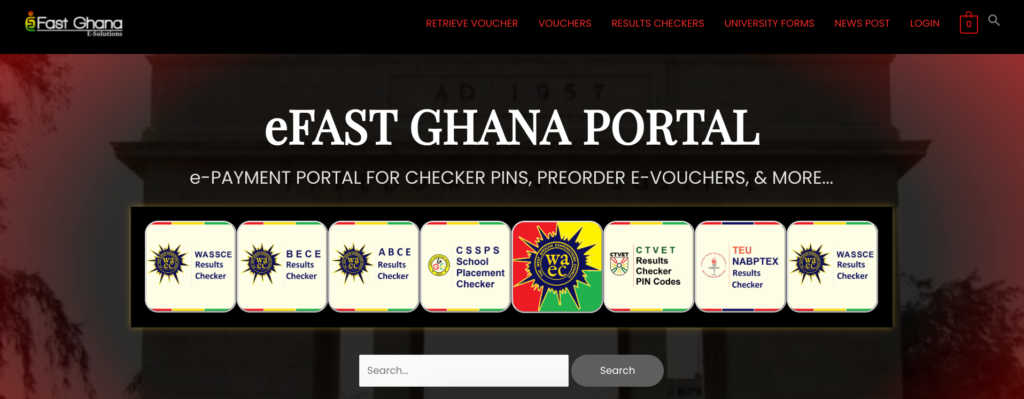
Select BECE Results Checker from the options displayed on the website homepage. These portals typically serve multiple examination types including WASSCE, BECE, and others, so choosing the correct examination is important to receive appropriate checker codes.
Enter your name, phone number, and email address when requested by the purchase form. This information facilitates delivering your PIN and Serial Number through multiple channels and provides contact information if there are any transaction issues. Double-check your email and phone number, as any mistakes will prevent your checker details from reaching you.
Choose Mobile Money as your payment method from the options presented, which may also include bank cards or other payment types. After selecting Mobile Money, the system requests your MoMo number, which should match the phone number you’re using for the transaction.
Enter your MoMo number and wait for the authorization prompt on your phone. The website communicates with Mobile Money systems, triggering authorization requests sent to your phone similar to USSD transactions. Your phone receives a prompt requesting you to enter your MoMo PIN to authorize the payment.
Once payment is authorized and processes successfully, the checker details appear on your screen immediately. The website displays both your PIN and Serial Number clearly, allowing you to record them immediately. Simultaneously, the system sends this information to your email address and phone number via SMS, providing multiple copies for safekeeping.
Getting Your BECE Result Checker: A Few Things to Keep in Mind
It is advisable to keep the SMS containing your PIN and Serial Number until you have successfully viewed and printed your results. Because the official portal can experience high traffic or technical delays, you may need to input your details multiple times. Keeping this message saved makes sure you have quick access to your codes and avoids the unnecessary stress of trying to retrieve them later.
Save the SMS in dedicated folders or mark it important to prevent accidental deletion. Consider forwarding the SMS to trusted family members as backup copies.
If you do not receive an SMS after a successful payment, there are simple ways to recover your details. Most USSD services include a “Retrieve” feature that you can access by redialing the original code, *713*3998#. By selecting this option from the menu, the system will check your recent transaction history and resend your PIN and Serial Number immediately.
When using retrieval functions, you may need to provide transaction references, phone numbers used for purchase, or other identifying information proving you completed the purchase. The transaction confirmation you receive after payment serves as official proof of purchase if there are any issues with your order.
It is always a good idea to verify the current price before making a purchase to avoid any surprises. WAEC typically announces the official price for result checkers through press releases and updates on their official website ahead of each result release. Rather than assuming the price is the same as last year, checking these official communications confirms you are paying the correct amount.
Only use officially recognized USSD codes, verified websites, and authorized platforms for buying result checkers. Be suspicious of unsolicited messages claiming to provide result checkers or results directly for fees. WAEC never contacts candidates directly to sell result checkers or provide results outside official portals.
Scammers sometimes create fake websites mimicking official WAEC portals to collect payments without delivering valid PINs. Verify website URLs carefully, looking for official WAEC branding, secure connections indicated by HTTPS, and professional design quality.
QuePosts: Education Services Directory in Ghana
QuePosts serves as Ghana’s dedicated education services directory, bringing together the variety of support students and families often need. Success in the Ghanaian education system involves more than just checking grades. On QuePosts, you can also find contact information for WAEC offices in every region, making it easy to get help if you have specific questions about your results or grading. The platform also helps people locate printing shops that understand the formatting requirements for CSSPS documents and educational consultants who advise on school selection strategies based on BECE results and student interests.
The directory also features tutorial centers that prepare students for BECE. Listings highlight locations, subjects offered, fees, class schedules, and reviews from past students. With this information readily available in one place, QuePosts makes education planning in Ghana more organized, more accessible, and less stressful for parents and students.
MoMo payments have made buying BECE result checkers more convenient for students and parents across Ghana. The process allows you to buy from home without queues, long trips, or uncertainty about availability. With clear instructions and widely accessible payment options, checking BECE results has become easier and more efficient for families.